The Best Digital Pattern Bundles Worth Buying
PDF pattern packs and ebooks compared on value and clarity, not just page count.
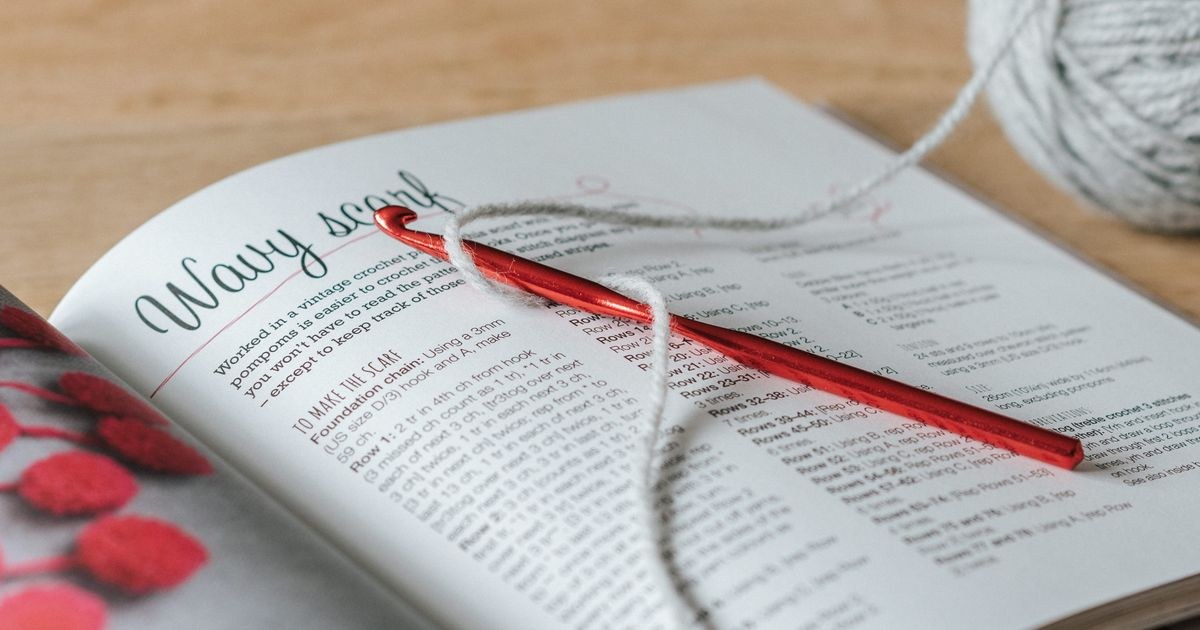
AI-generated illustration, not a photograph of the finished item. About our images
PDF single patterns vs. ebook bundles
| Single PDF pattern | Ebook bundle | |
|---|---|---|
| Cost | Low, per-pattern | Higher upfront, lower per-pattern |
| Best for | Trying a specific design | Committing to a style or designer |
| Risk if you dislike it | Low | Higher, since it's one purchase |
Our pick
The Complete Crochet Stitch Dictionary
Over 200 stitches with charts, useful as an ongoing reference rather than a single-project pattern — the kind of purchase that keeps paying off as your skills grow.
View on Amazon →What to check before buying
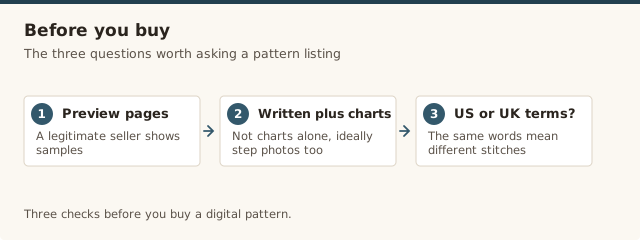
- Preview pages. A legitimate seller will show sample pages before you buy.
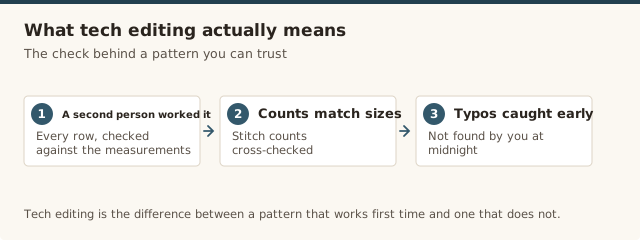
- Tech-edited. Look for this explicitly stated — it means a second person checked the pattern for errors before release.
- US vs UK terms. The same words mean different stitches in each system. Check which one the pattern uses before you start — our guide to reading a pattern covers the common abbreviations either way.
- Photos vs. charts only. If you're newer to crochet, patterns with step photos are easier to follow than charts alone.
What a tech-edited pattern actually means
Tech editing is the difference between a pattern that works first time and one that leaves you frogging a sleeve at midnight. It means a second person — usually an experienced crocheter or a professional tech editor — has worked through every row, checked the stitch counts against the measurements, and caught the typos the designer's own eyes skip over. Designers who pay for this usually say so, because it costs real money and they want you to know. A pattern described only as "tested" is weaker than "tech-edited": testing means someone made it, but not necessarily that every number was audited. Look for the word "tech-edited" in the listing, and if it's absent, expect to do a little of that checking yourself with our guide to reading a pattern. A good tech editor will also flag where a stitch count is likely to trip a beginner and add a note in plain language, which is the difference between a pattern you follow and a pattern you fight.
Digital patterns as gifts
A PDF bundle makes a surprisingly good crochet gift, but only if you match it to the person. For a beginner, a single, clearly photographed pattern they can print and scribble on beats a 200-stitch dictionary that will sit on a shelf — our easiest first projects list is a good place to pick one. For an experienced crocheter who already has the basics, an ebook from a designer they follow is a safer bet, because they'll actually recognise the style. Most pattern shops let you buy a pattern as a gift or send a download code, so you can hand over a note with the link rather than a printed wad of pages. If a pattern feels too abstract, our general gift guide covers the same idea for tools and yarn instead.
Printing and keeping track of your files
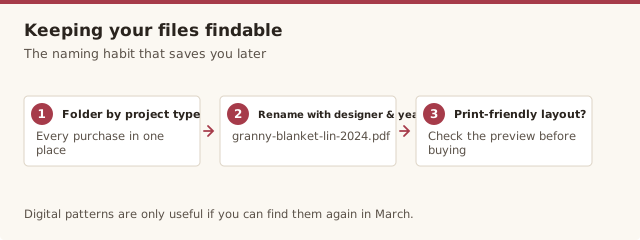
Digital patterns are only useful if you can find them again in March. I keep every purchase in a folder named by project type, then rename the file with the designer and year — "granny-square-blanket-lin-2024.pdf" instead of the default "final-pattern.pdf". Before you buy, check the preview for a print-friendly layout: a pattern that's all dark backgrounds or wide charts will chew through ink, and you'll end up reading it off a phone screen at the worst possible moment. Marking up a printed copy with a pencil as you finish each row is still the most reliable way I know to keep your place, and it turns a one-off purchase into a working document you'll reach for again and again. I also keep a single page printed with the pattern's key stitch counts and abbreviations, so if a row goes wrong I can check the number without scrolling back through the file.
Common mistakes & fixes
Fix: you didn't check the preview. Before buying, confirm the listing says "written instructions plus charts" rather than charts alone, and look for step photos if you're newer to crochet.
Fix: the pattern uses the other terms system (US or UK) than you expected. Check which one it's written in before you start — a UK "dc" is a US "sc", and mixing the two quietly changes your whole fabric.
Fix: you prioritised page count over value. Next time, buy for one specific design you genuinely want to make, and let a bundle be a reward only once you trust the designer's style.
Fix: the download went into a catch-all folder with a generic name. Save it into a named folder and rename it with the designer and project type the moment you download it.
Fix: you didn't check for a print-friendly layout. Look at the preview for plain backgrounds and reasonable chart sizes, and print a working copy you can mark up rather than relying on a screen.
Fix: ebooks span skill levels. Look for a stated skill level or difficulty on each design, and pick a bundle that matches where you are now rather than where you hope to be.
From the archive: You can test the PDF experience for free with the 20 public-domain books in our PDF library.
Frequently asked questions
Are PDF crochet patterns better than free patterns online?
Paid PDF patterns are usually tested more thoroughly and include clearer photos or charts than many free patterns, which reduces the chance of errors partway through a project. Free patterns can still be excellent, but quality varies more.
What should I check before buying a crochet ebook?
Look for a preview or sample pages, confirmation that patterns are tech-edited (checked by a second person for errors), and whether it uses US or UK crochet terms, since the two systems use the same words for different stitches.
Is it better to buy one PDF pattern or a whole ebook?
It depends on how you buy patterns. A single PDF is lower risk if you just want one specific design, while an ebook bundle offers better value per pattern if you already trust the designer and will make several of the designs.
Can I print a digital crochet pattern to follow along?
Yes, most PDF patterns and ebooks are designed to be printable, and many crocheters print and mark up a working copy rather than reading from a screen. Check the preview for a print-friendly layout before you buy.
Can I return a digital crochet pattern if I don't like it?
Usually not — digital goods are almost always non-refundable, which is exactly why preview pages and tech-editing notes matter so much before you buy. If a listing offers no preview, treat that as a reason to be cautious.
Do my downloads ever expire?
Most platforms let you re-download a purchased pattern indefinitely, but a few limit downloads or expire links after a set time. Check the shop's terms before buying, and save a copy to your own folders as soon as it arrives rather than relying on the download link.